
Overall Risk provides an overview of the overall risk status of your organization. At the top of the page, you can view the data ingestion period. UEBA runs the analytics on the data ingested between the start and end date of this period. You can also generate reports by clicking on Report.
In Overall Risk, you can view:
Overall Risk Level (low, medium, high, extreme) and risk score.
Overall Risk Trend (increasing, decreasing, remaining constant).
Number of Events Analyzed by the analytics during the specified period.
Number of Anomalies Found by the analytics during the specified period.
Overall risk chart.
Top five risky entities for each entity.
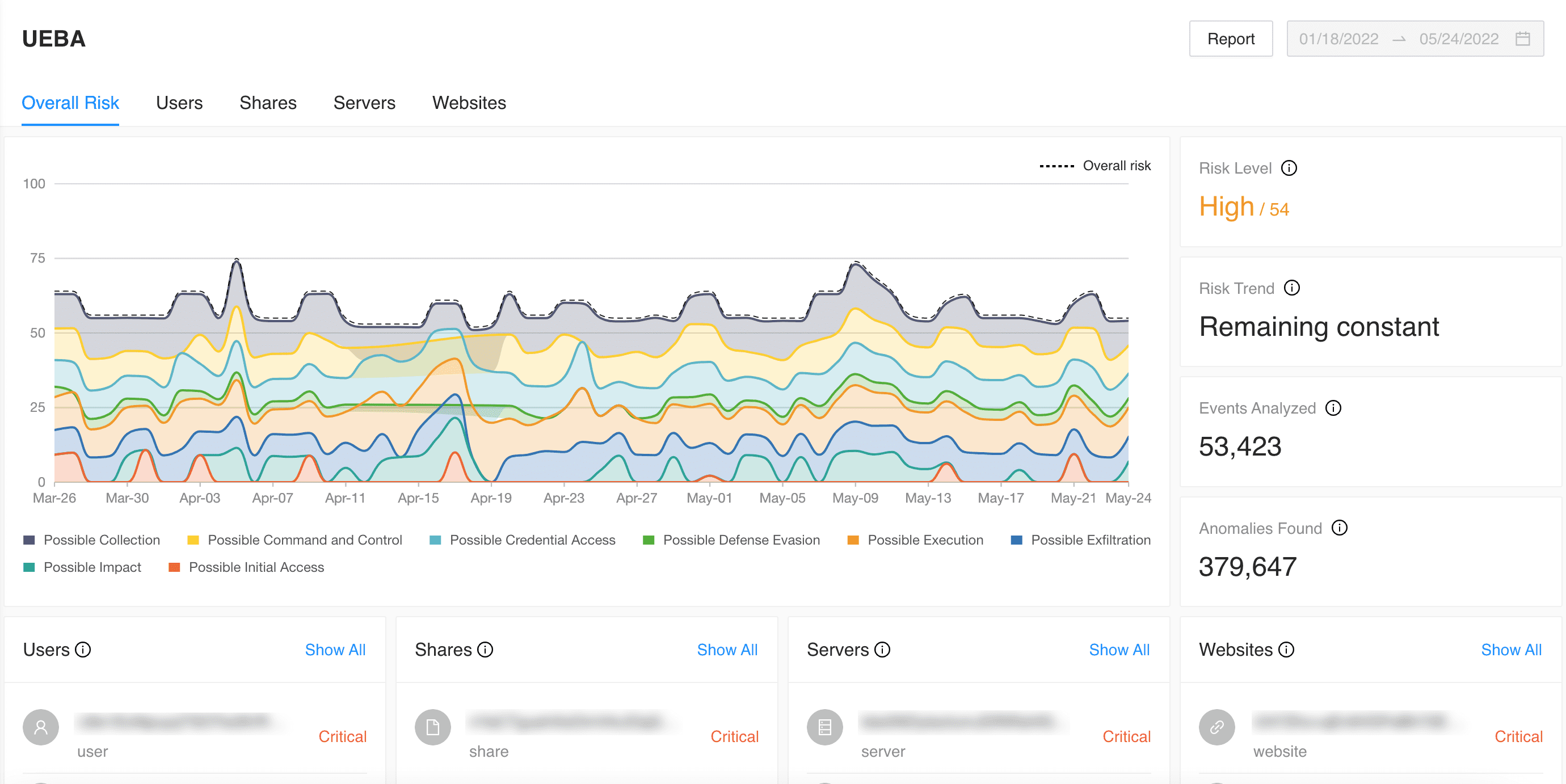
Overall Risk Page
The Overall Risk Chart is a stacked area chart that shows the overall risk score and contribution of each of the Threat Types to the overall risk score. It displays the time range in the X-axis and the risk score in the Y-axis. The colored areas represent the types of threats detected.
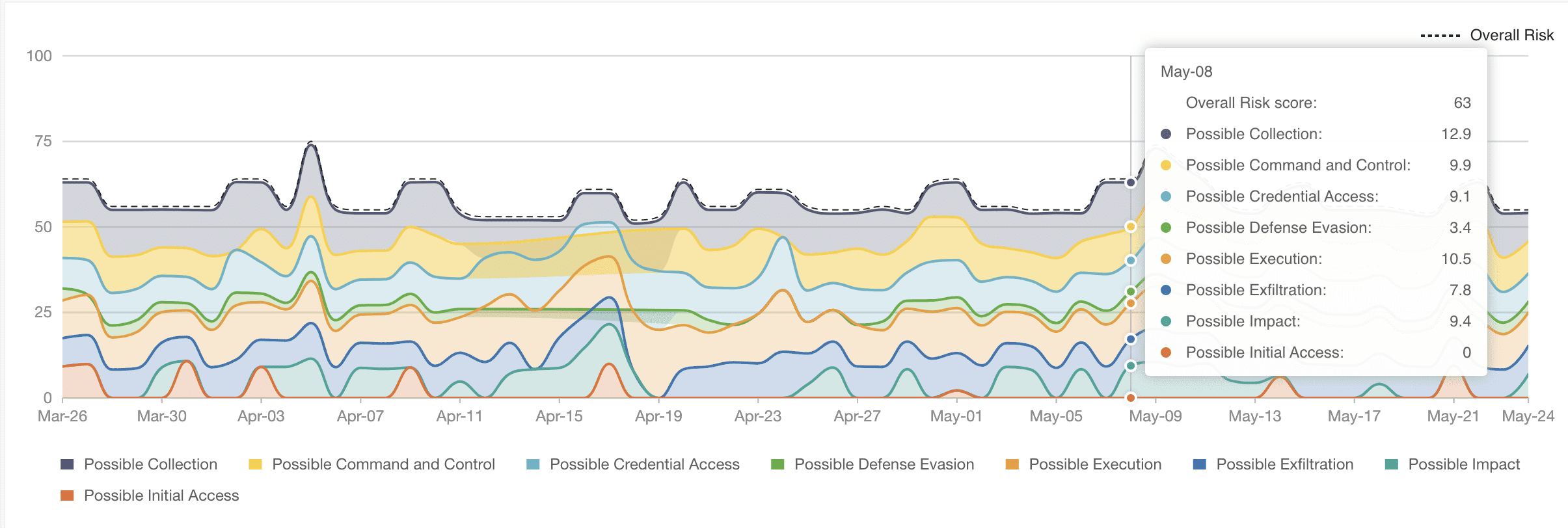
Overall Risk Chart
In the chart, you can:
View/hide each threat type in the chart by clicking the threat type in the legend. By default, all the threat types are displayed.
Click any threat type in the chart to view the details. You’ll be redirected to Users with the respective threat type filter.
By default, a maximum of 100 days of data is displayed in the chart.
The top five risky entities detected by the last analytics on the overall ingested data are listed in the entity type. You can also view their risk level by hovering over the risk level to view the risk score. Clicking on Show All redirects you to the individual entity’s page. You can also see the risk trend of the particular entity in Matrix of Anomalies.
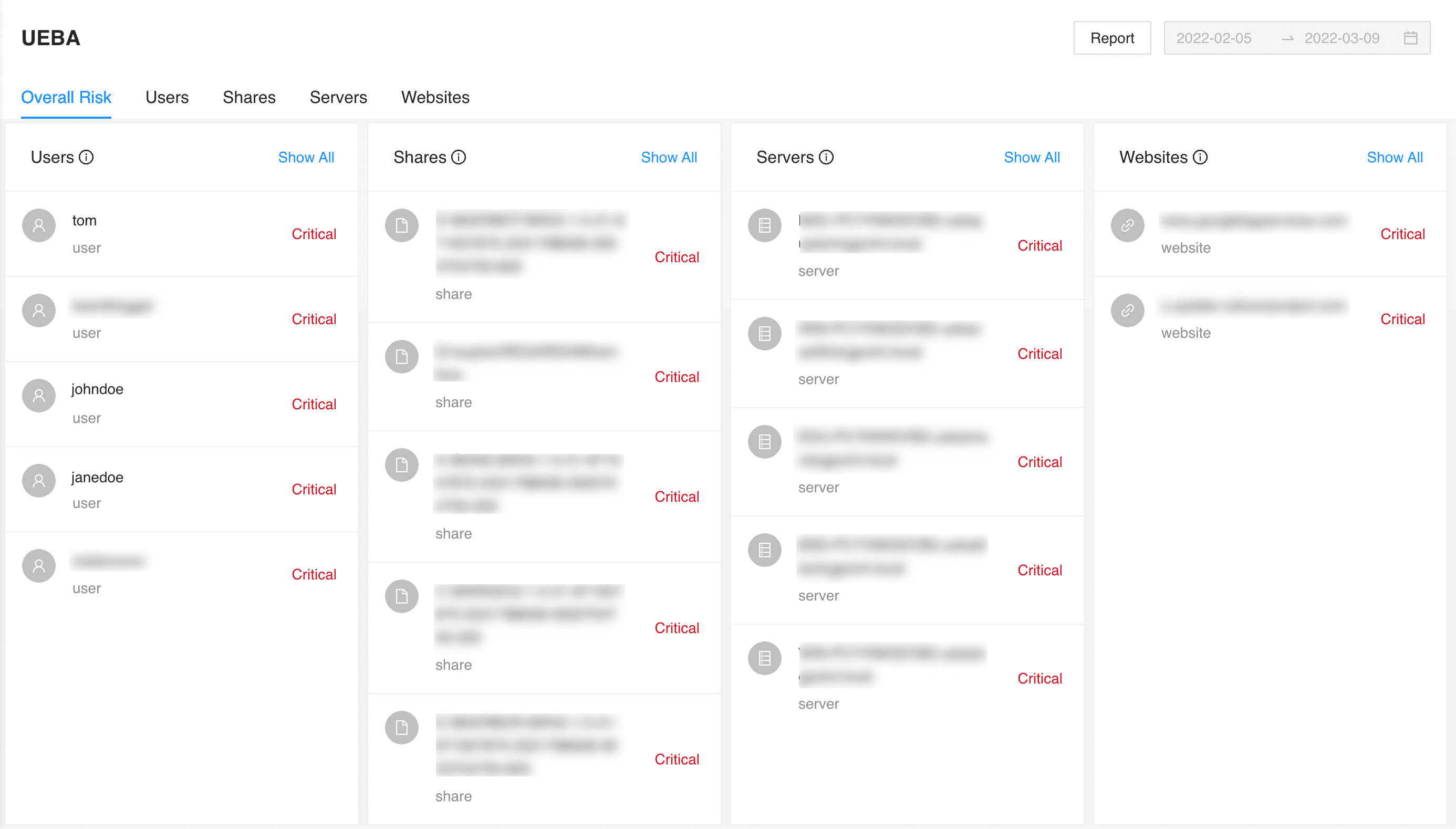
Top Five Risky Entities of Each Entity Type